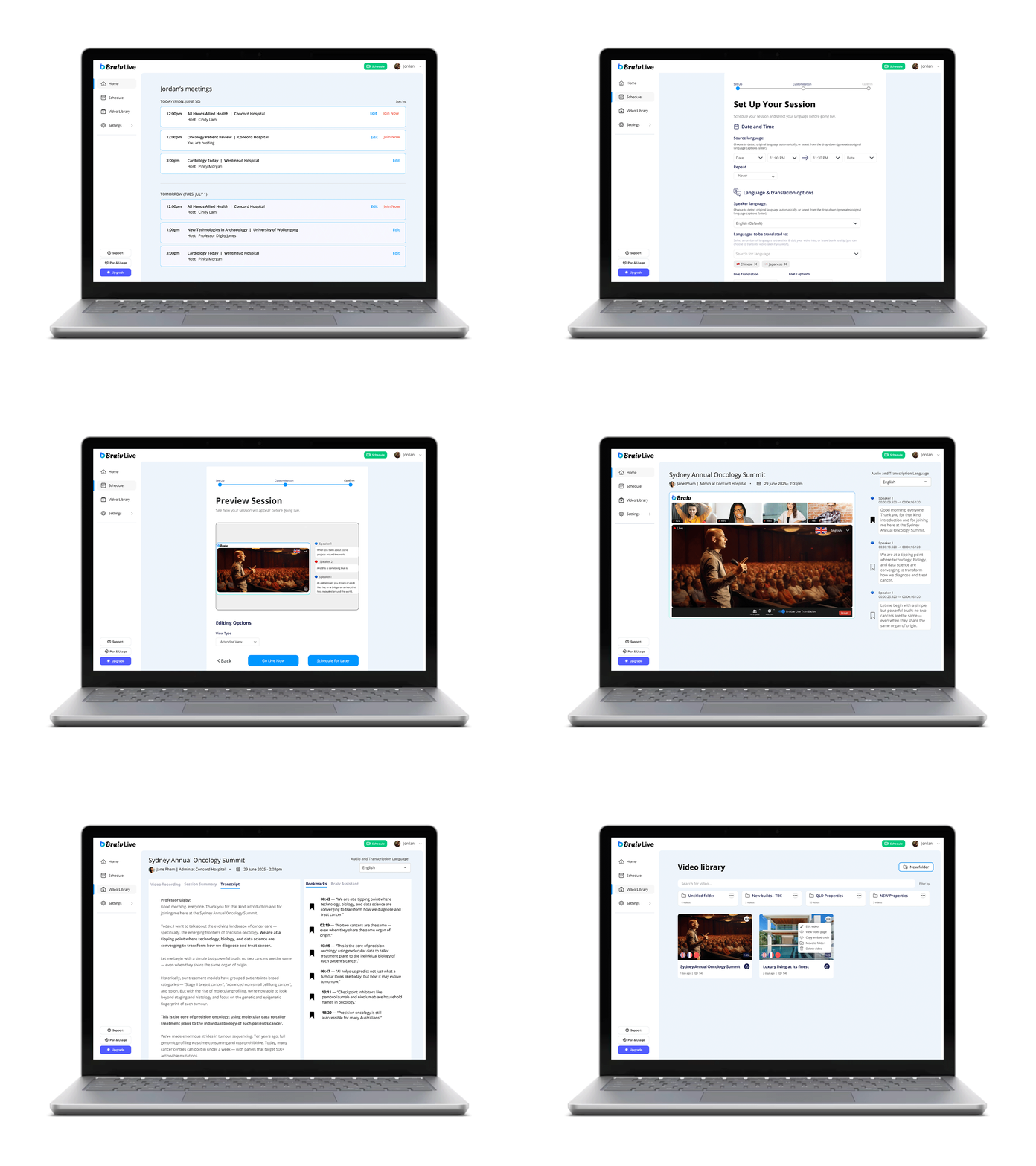
braiv
new product // browser design
Group Project
ROLE: UI Design Team
TIMEFRAME: 3 Weeks
THE PROBLEM
People with language barriers, hearing loss and/or limited tech experience feel excluded because live translation options are lacking.
-
How might we promote cross-cultural engagement for live media content to aid inclusion and understanding?
How might we design a translation experience that adapts to different event formats like webinars, panels or workshops?
How might we give admins greater control over session set-up, branding and room management without adding complexity?
-
Through surveys and five interview, we gathered responses to the following questions:
Would you feel comfortable wearing headphones to listen to a translated talk in real time?
In a live setting, do you prefer reading translated captions or listening to translated audio?
Which tools would be useful to you when attending a conference in another language?
RESULTS & TAKEAWAYS
“Now that you’ve planted that thought in my mind, it would be really interesting to attend a conference in Cantonese…”
— CHRISTINE, 27
“…but even when it’s not perfect, it really helps me stay engaged.”
— ANJALI, 26
“Even though my preferred language is English… when I interact with online videos or do mandatory training, I normally put captions on, just as a personal preference.”
— MICHAEL, 65
IDEATION
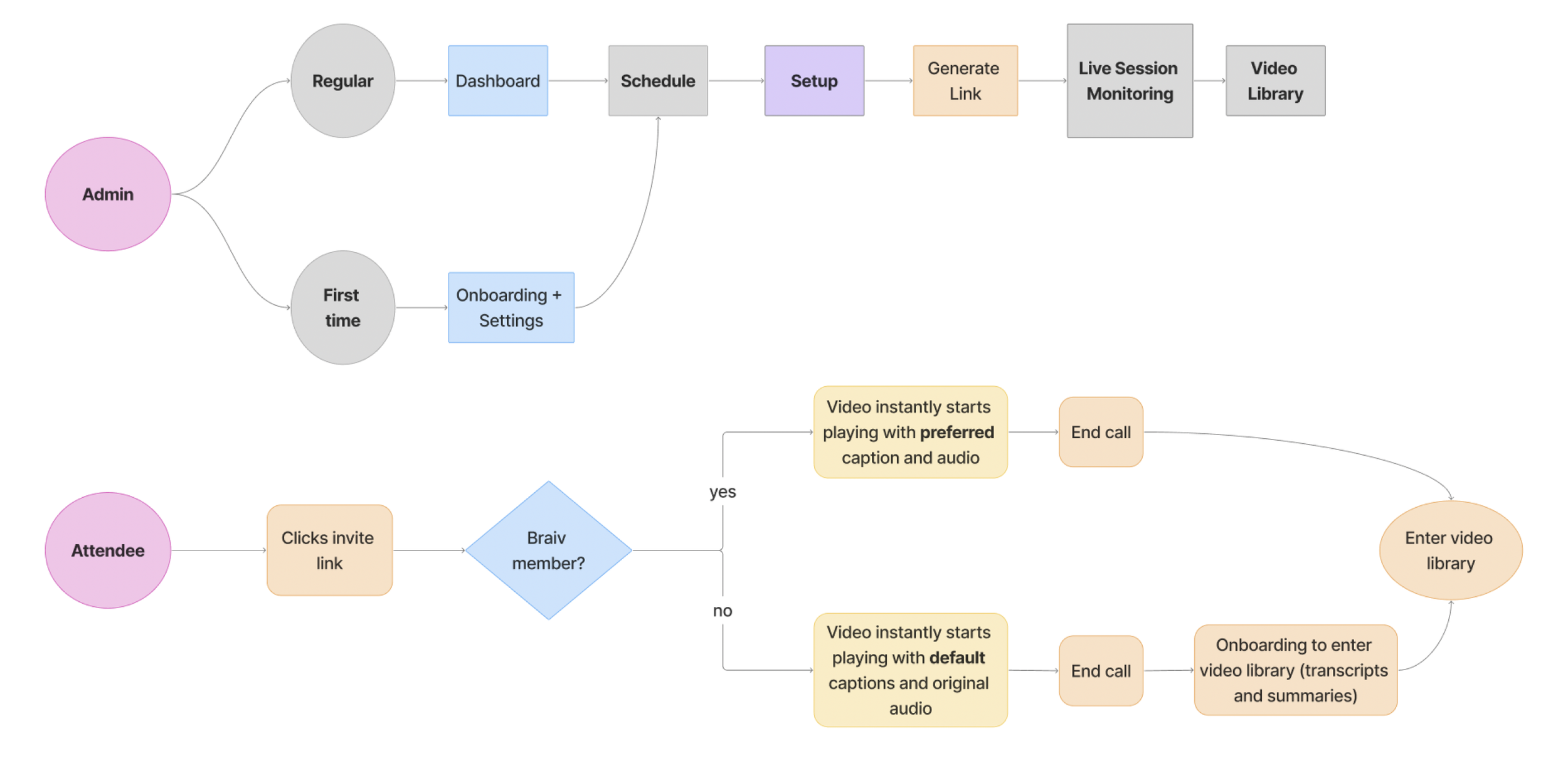
USER FLOW
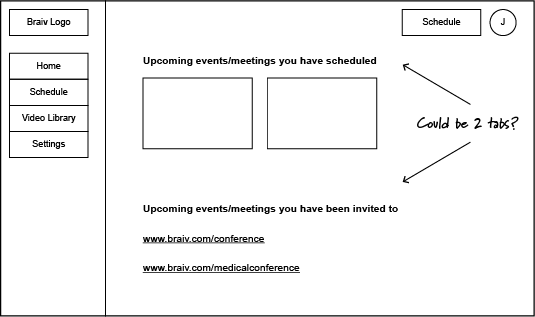
LOW FIDELITY WIREFRAMES
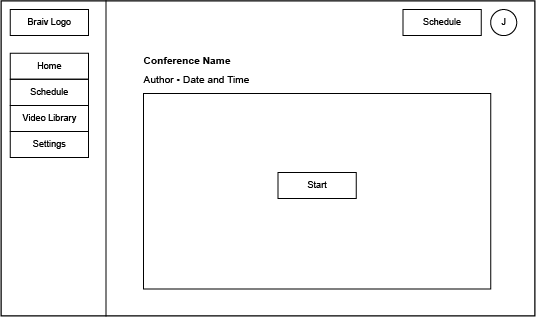
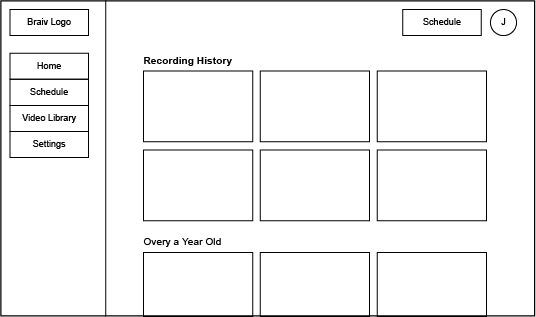
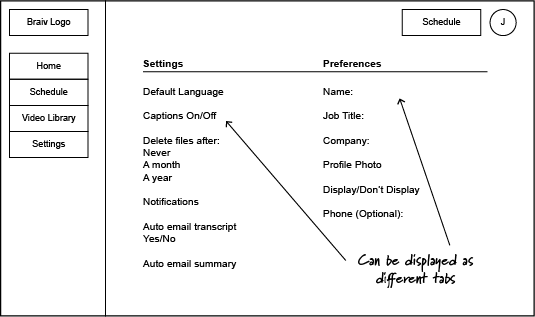
-
Interactive Preview Room (“Join Early” Lobby)
Join early to test captions, dubbing and interactions
Boosts confidence before live sessions
Smart Session Templates
Admin presents: workshop, panel, webinar
Auto-fills layout, roles and settings
usability testing feedback
“Too many options in the scheduling.”
“Good that we have attendee view.”
“Really clean and easy to look at, so I would not add anything.”